

Step 1
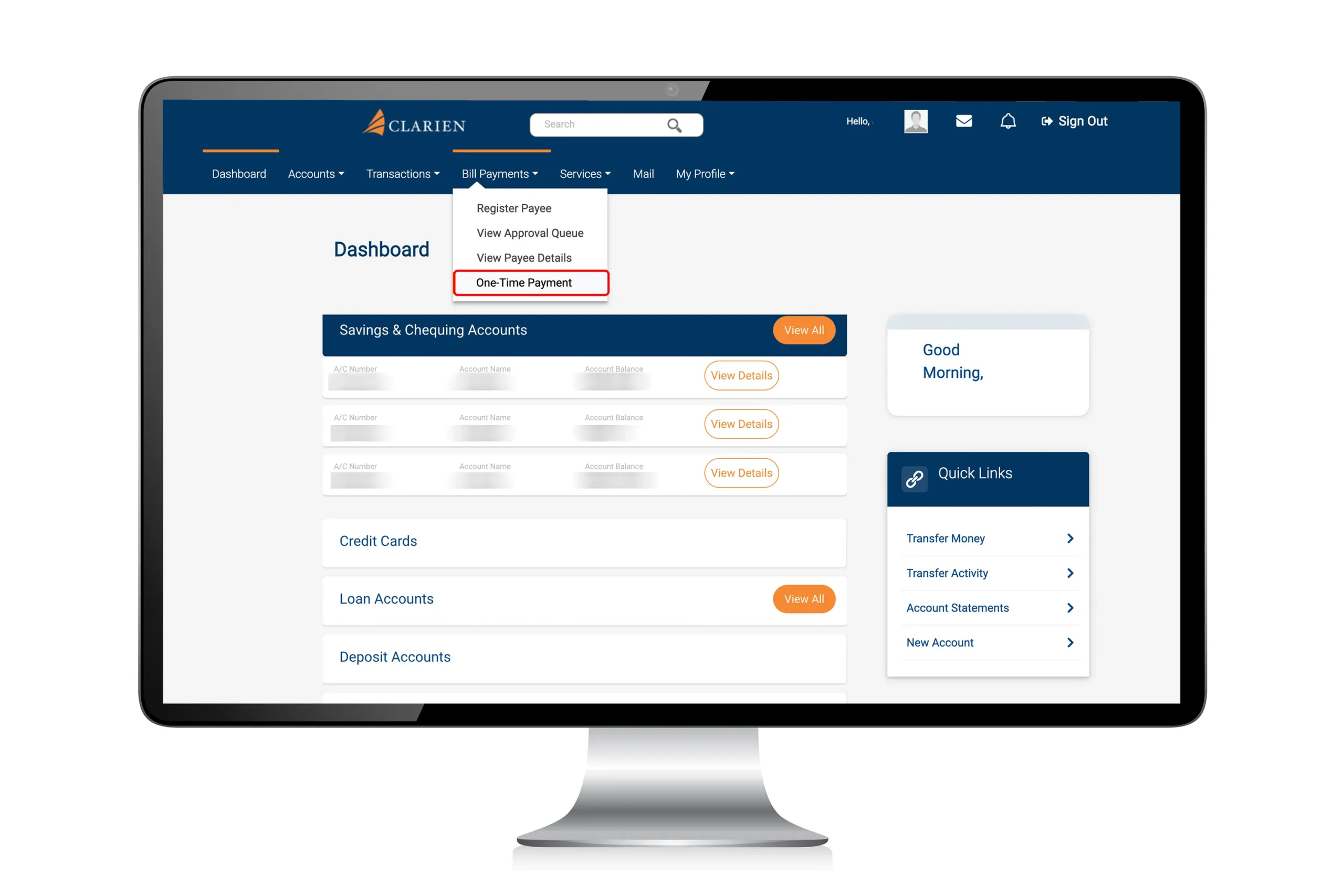
From your iBank Dashboard, click Bill Payments and select One-Time Payment.
Step 2
On the One-Time Payment page, click Look Up to search for the biller name.
Step 3
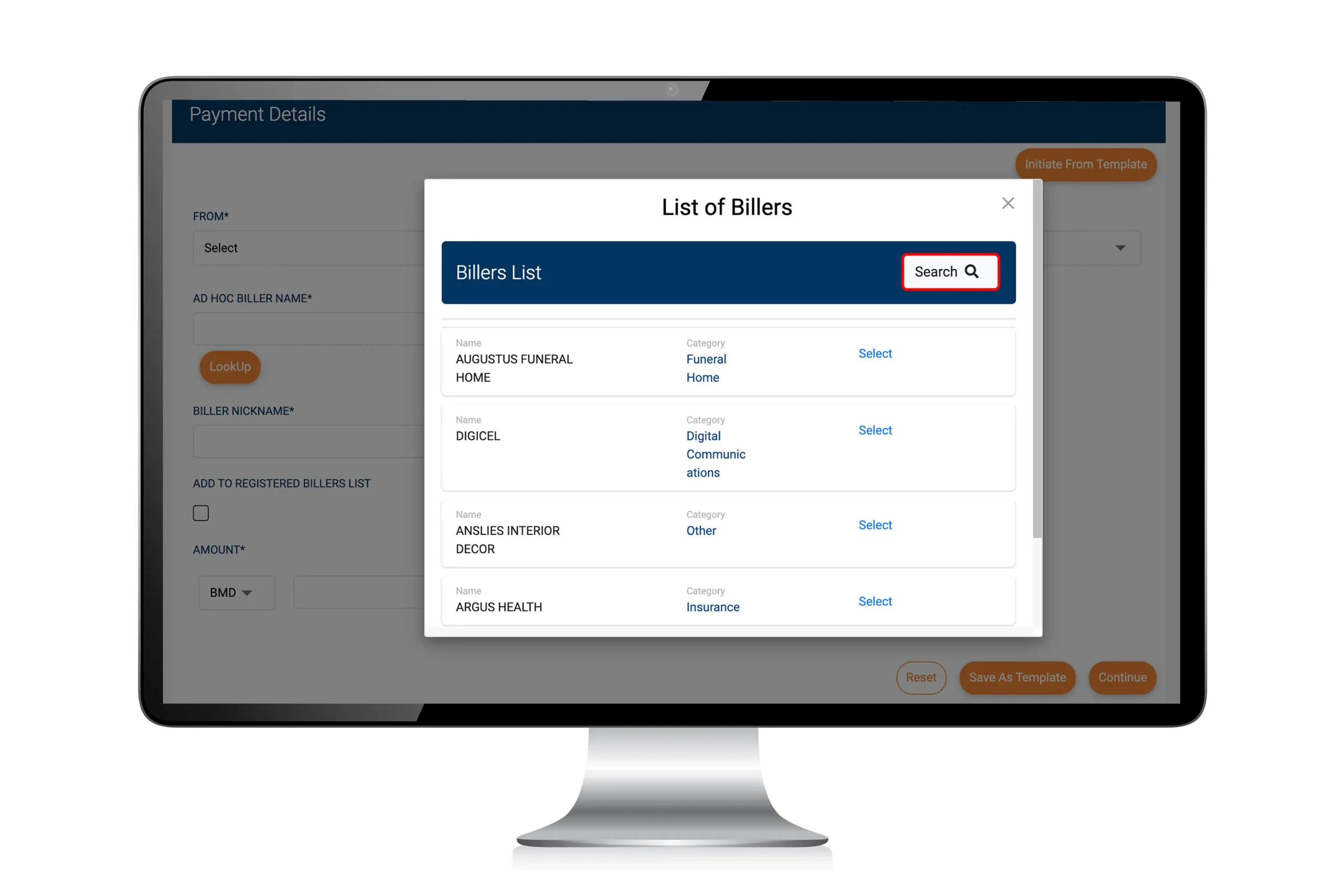
The Billers List will appear. Click Search.
Step 4
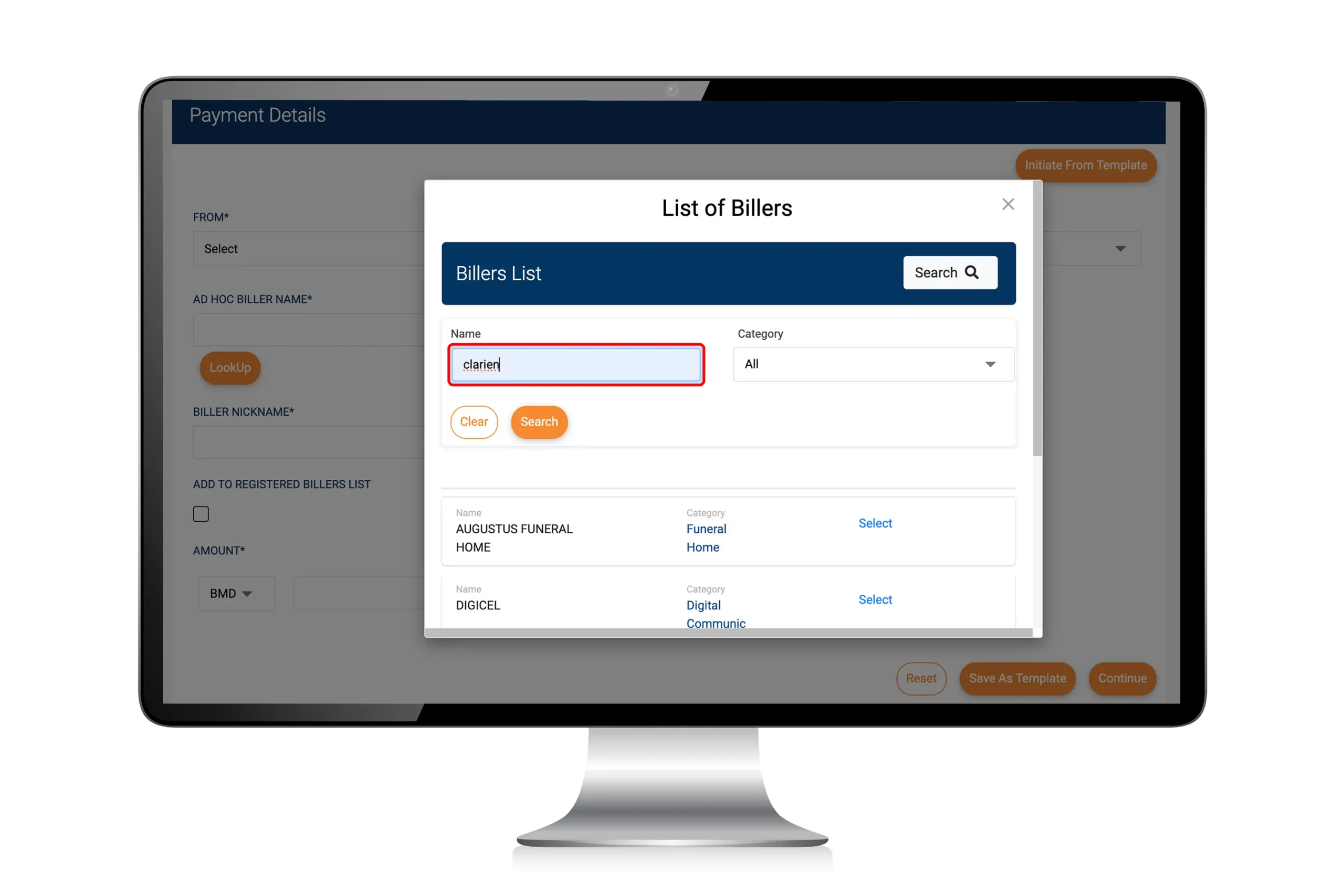
Type in Clarien to pull up the list of Clarien Billers.
Step 5
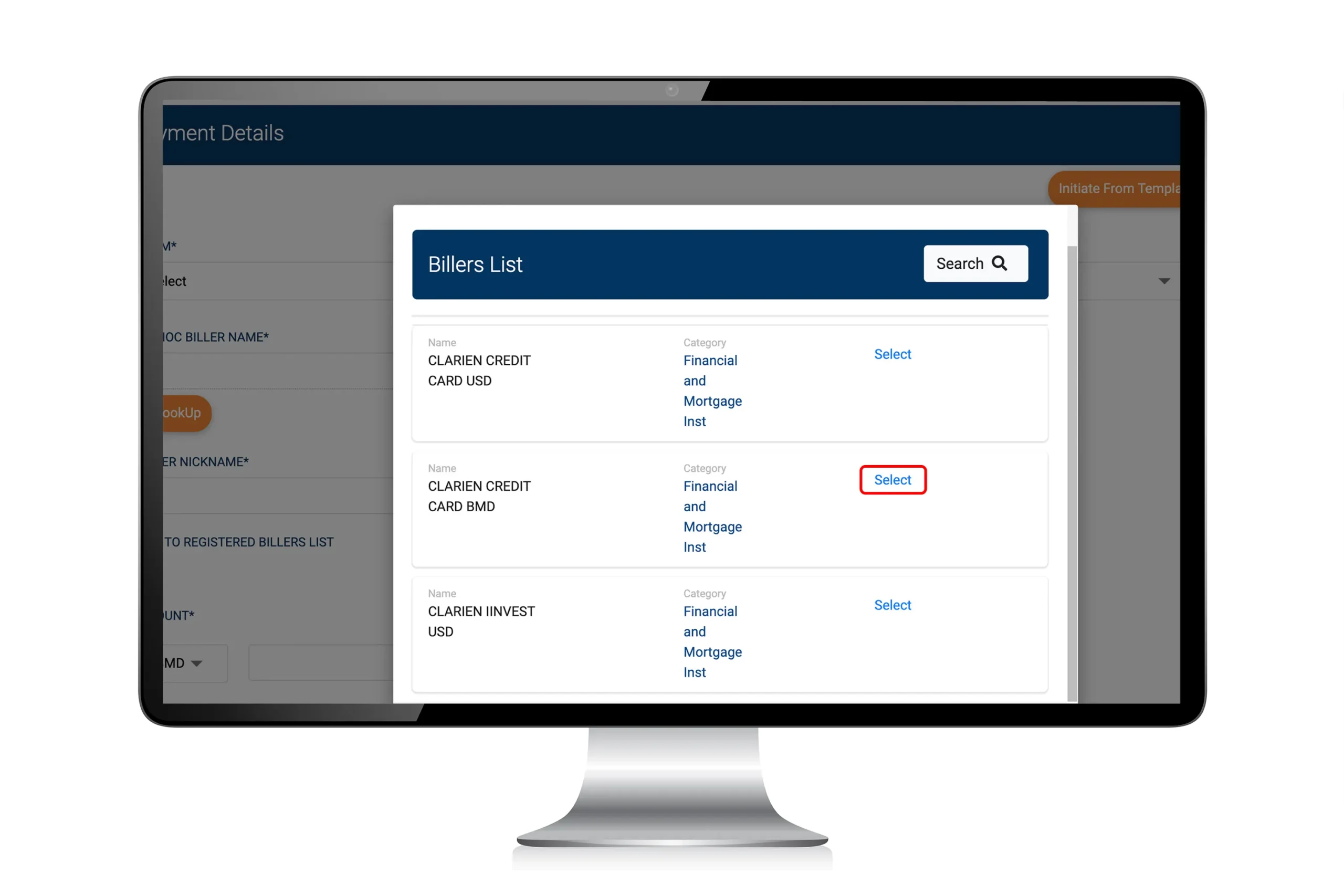
From the search results, choose the Clarien biller you would like to pay. Click Select.
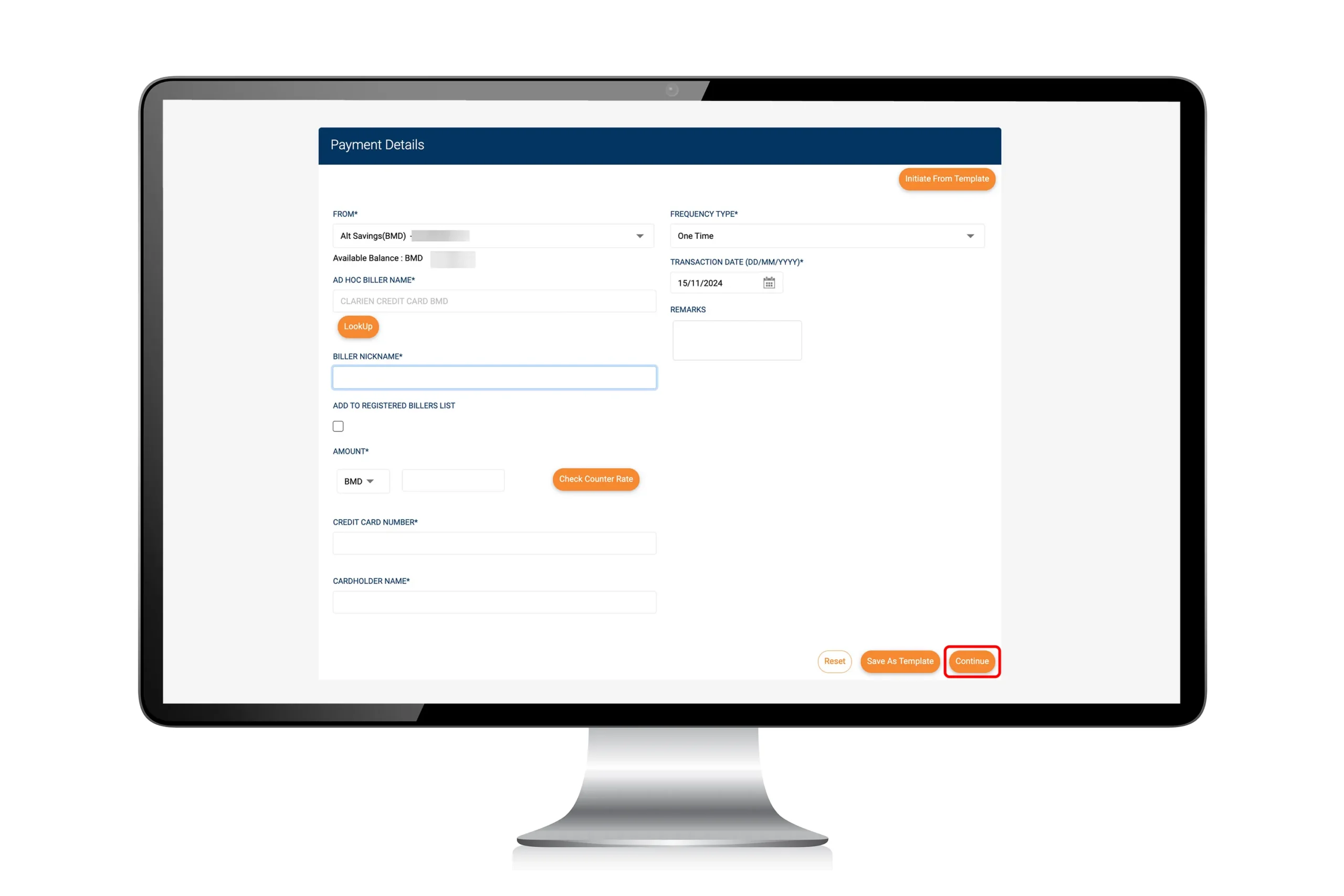
Step 6
Fill in the payment details, then click Continue.
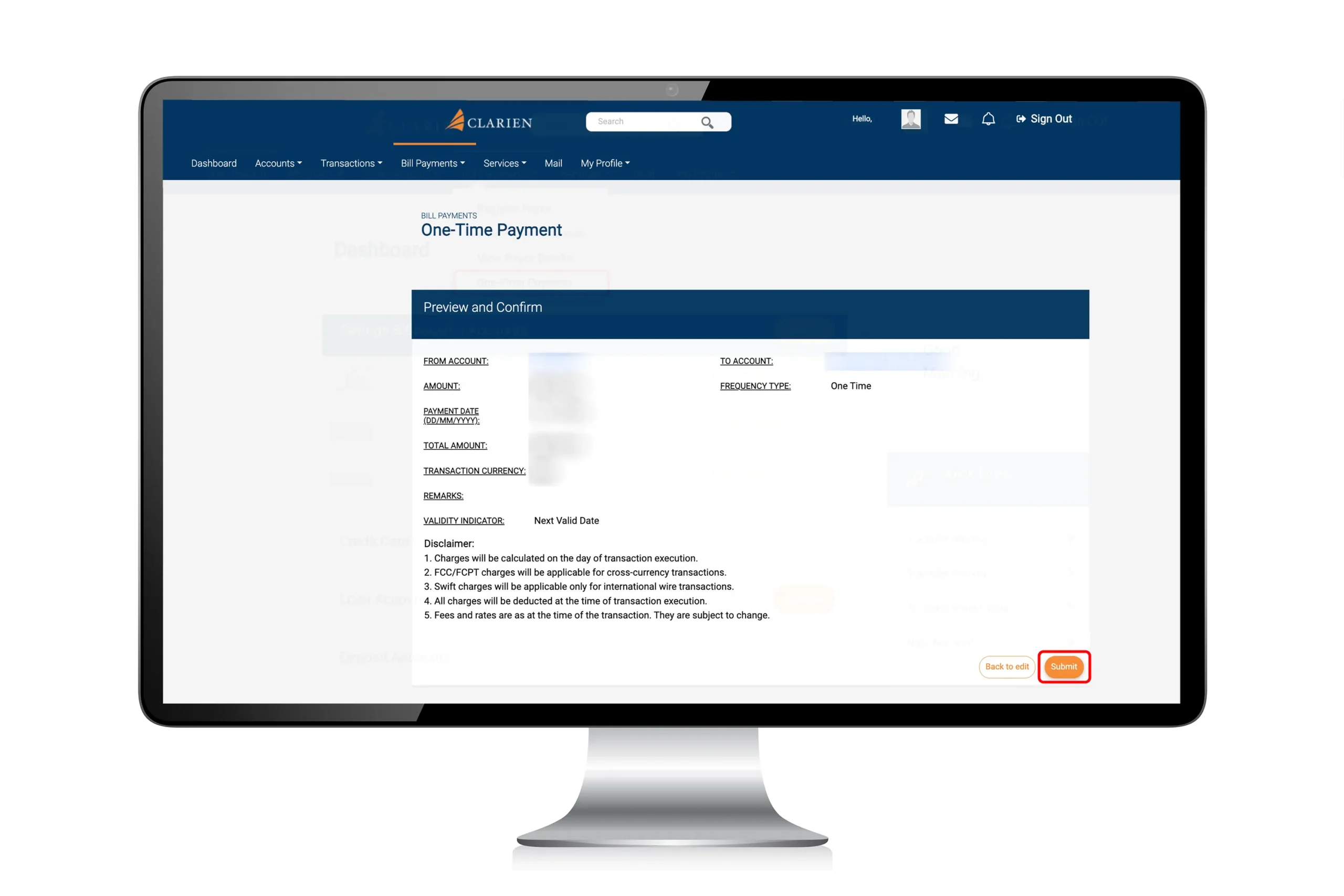
Step 7
Review the payment details. If everything is correct, click Submit.
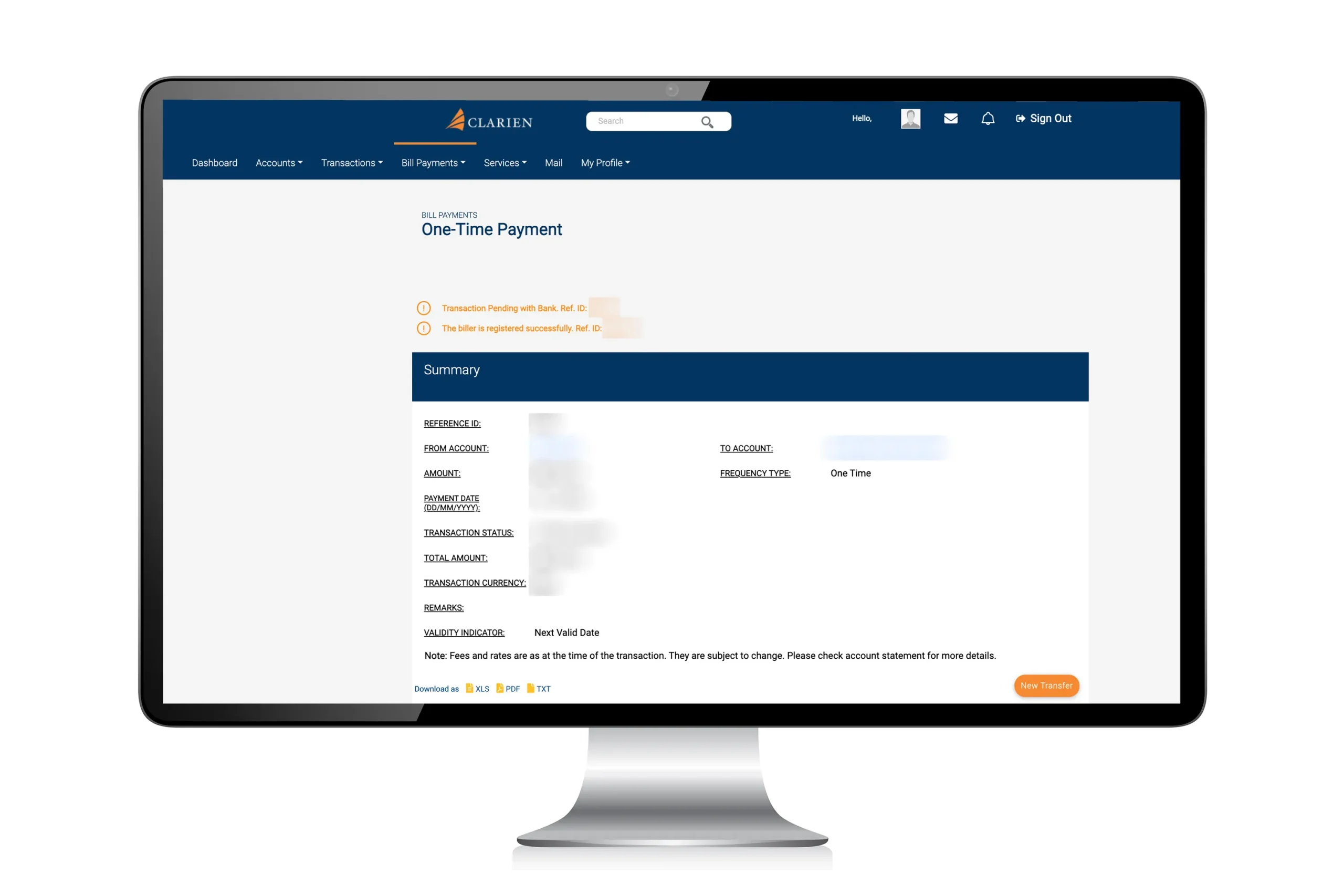
Step 8
You have completed your credit card bill payment.